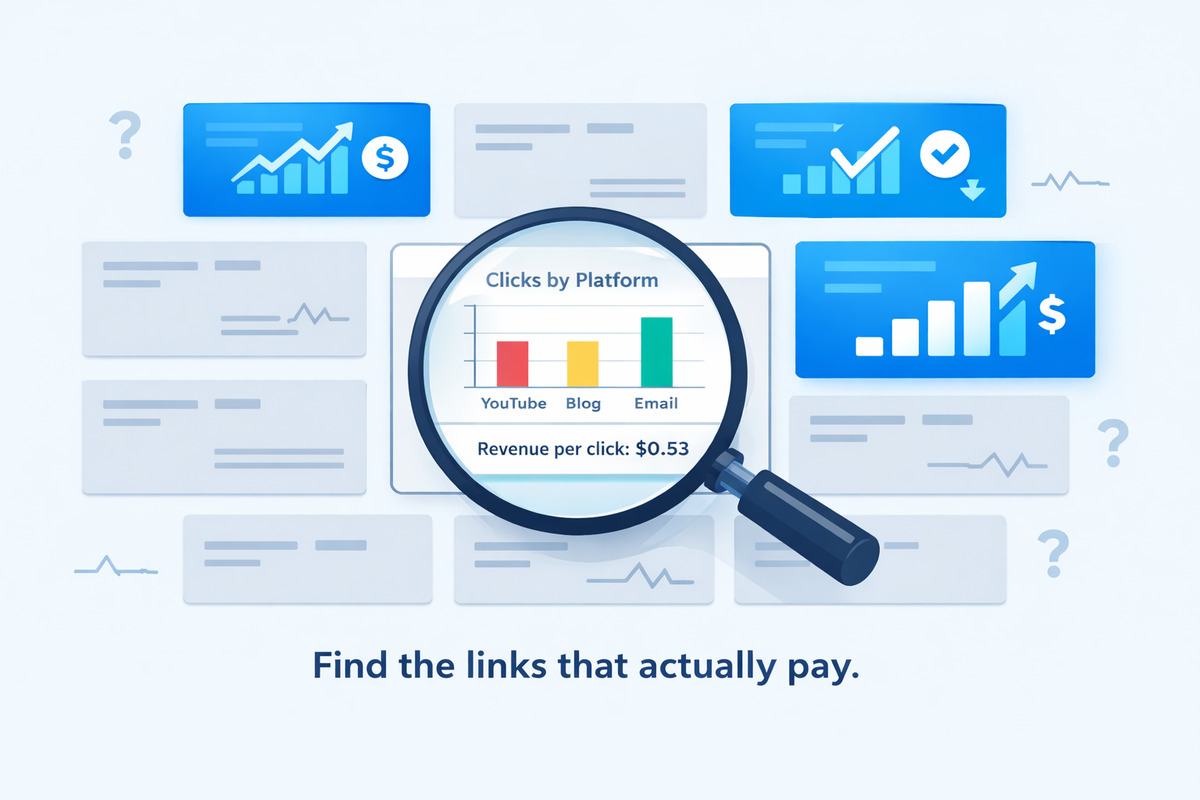
You Have 40 Affiliate Links. Do You Know Which Ones Pay Your Bills?
Here's a pattern that plays out constantly in affiliate marketing:
You sign up for 8 affiliate programs. You promote 40 products across your YouTube channel, blog, Instagram, and email list. You check your affiliate dashboards at the end of the month. You made $1,200. Nice.
But you have no idea which links generated that $1,200. You don't know which products your audience actually buys. You don't know which platforms drive the sales. You don't know if the 6 hours you spent on Instagram Stories last week generated $5 or $500.
You're making money — but you're making it blindly. And that means you're almost certainly leaving more on the table.
This guide will show you exactly how to figure out which affiliate links are actually making you money, which ones are wasting your time, and what to do with that information.
Why Most Affiliate Marketers Don't Know What's Working
Before we fix the problem, let's understand why it exists. There are three common reasons:
1. Affiliate Dashboards Only Show the End Result
Amazon Associates tells you that you sold 15 units of a Bluetooth speaker last month. Great. But it doesn't tell you whether those sales came from your YouTube review, your blog comparison post, or the link in your email newsletter.
Most affiliate programs show you what sold, but not how it sold. You see the destination but not the journey.
2. You're Using the Same Link Everywhere
If you copy your Amazon affiliate link and paste the exact same URL into YouTube, your blog, and Instagram — every sale looks identical in your affiliate dashboard. There's no way to tell which platform sent the buyer.
It's like having three store entrances but only one visitor counter at the register. You know people are buying, but you don't know which door they walked through.
3. Click Data and Revenue Data Live in Different Places
Your link shortener (if you use one) shows clicks. Your affiliate dashboard shows sales. Google Analytics shows traffic sources. But none of these tools talk to each other in a way that gives you the full picture:
This link → got this many clicks → from this platform → and generated this much revenue.
Without connecting those dots, you're stuck guessing.
The Framework: 4 Steps to Identify Your Money-Making Links
Here's a systematic approach that works regardless of which affiliate programs you use or how many platforms you promote on.
Step 1: Audit Every Active Affiliate Link
Start by listing every affiliate link you're currently promoting. Yes, all of them. Open a spreadsheet and create columns for:
| Product | Affiliate Program | Commission | Where It's Shared | Monthly Clicks | Monthly Sales | Monthly Revenue |
|---|---|---|---|---|---|---|
| Sony WH-1000XM5 | Amazon Associates | 4% | YouTube, Blog, Email | ? | 3 | $42 |
| ConvertKit | ConvertKit Affiliates | 30% recurring | Blog, Email | ? | 1 | $29/mo |
| Bluehost Hosting | Bluehost Affiliates | $65 flat | Blog | ? | 2 | $130 |
| Canva Pro | Canva Affiliates | Up to $36 | YouTube, Instagram, Blog | ? | ? | ? |
Most people discover two things during this audit:
- They have more active links than they thought. Old blog posts, forgotten YouTube descriptions, and outdated email sequences often contain links you haven't checked in months.
- Most of the "Monthly Clicks" column is full of question marks. They know revenue (from affiliate dashboards) but have zero visibility into clicks and traffic sources.
That's exactly the gap we need to close.
Step 2: Tag Every Link by Platform
The single most impactful thing you can do is make every affiliate link trackable by source. When someone clicks your link, you need to know: did they click it on YouTube, on your blog, in an email, or on Instagram?
There are two ways to do this:
Option A: Manual UTM Parameters
Add UTM tags to each link for each platform. For a single product shared on three platforms, you'd create three separate URLs:
amazon.com/dp/B0CX...?tag=yourtag&utm_source=youtube&utm_medium=video&utm_campaign=headphones-reviewamazon.com/dp/B0CX...?tag=yourtag&utm_source=blog&utm_medium=post&utm_campaign=headphones-reviewamazon.com/dp/B0CX...?tag=yourtag&utm_source=email&utm_medium=newsletter&utm_campaign=headphones-review
This works, but it's tedious. For 40 products across 3 platforms, that's 120 unique URLs to create and manage. One typo in a UTM parameter and your data is wrong.
For a full breakdown on UTM parameters and how to structure them, see our UTM parameters guide.
Option B: Use a Link Tracker with Automatic Tagging
A purpose-built affiliate link tracker lets you create one short link per product and automatically detects where each click originates. No manual UTM tagging, no managing 120 URLs.
You share the same link everywhere. The tracker identifies the source for you.
Step 3: Connect Clicks to Revenue
Once you can see clicks by platform, the next step is connecting that click data to your actual affiliate revenue. This is where things get powerful.
Here's how to do it, even without a perfect automated pipeline:
The Simple Method: Weekly Revenue Mapping
Every week, spend 15 minutes doing this:
- Open your link tracker (Linkgaze, or whatever you use). Note the click counts per platform for each product link.
- Open your affiliate dashboards (Amazon, ConvertKit, etc.). Note the sales and revenue per product for the same period.
- Map them together in your spreadsheet. Now you can see: Product X got 200 clicks from YouTube and 50 from blog → generated 4 sales → $56 revenue.
After 2-3 weeks, patterns emerge that you'd never see from affiliate dashboards alone.
What to Look For
When you map clicks to revenue, calculate these three numbers for every product + platform combination:
| Metric | Formula | What It Tells You |
|---|---|---|
| Click-through rate (CTR) | Clicks ÷ Impressions (or views) | How compelling your call-to-action is on each platform |
| Conversion rate | Sales ÷ Clicks | How well the product page converts visitors from each source |
| Revenue per click (RPC) | Revenue ÷ Clicks | The actual dollar value of each click from each platform |
Revenue per click is the number that matters most. It tells you exactly how much money each click from each platform is worth. A link with 50 clicks and $25 revenue (RPC: $0.50) is outperforming a link with 500 clicks and $30 revenue (RPC: $0.06).
Step 4: Act on What You Find
Data without action is just entertainment. Once you know which links make money, here's what to do with that knowledge:
Double Down on High-RPC Links
If your Bluehost affiliate link generates $2.50 per click from blog posts but only $0.15 per click from YouTube — that's a clear signal. Write more blog content about hosting. Create comparison posts. Add that link to your most-trafficked pages.
Fix or Drop Low Performers
If a product gets consistent clicks but zero conversions, something is broken:
- Is the landing page bad? The affiliate product page might have changed, be poorly designed, or have pricing that doesn't match what you described.
- Is the audience wrong? Your Instagram followers might not be the right buyers for enterprise software, even if they click out of curiosity.
- Is the link outdated? Some affiliate links expire or redirect to the wrong page over time.
If the link can't be fixed, replace it with a better-converting alternative. Don't keep promoting products that waste your audience's clicks.
Reallocate Your Time
This is the biggest payoff. Most creators spend roughly equal time on each platform. But the data almost always shows that one or two platforms generate the majority of revenue.
Real Example: How This Looks in Practice
Let's walk through a concrete example. Maya is a fitness content creator who promotes supplements, workout equipment, and fitness apps. She shares affiliate links on YouTube (250K subscribers), her blog (30K monthly visitors), and an email newsletter (8K subscribers).
Before tracking, Maya's monthly affiliate income looked like this:
- Amazon Associates: $680
- Supplement brand affiliate program: $320
- Fitness app referral program: $150
- Total: $1,150/month
She assumed YouTube drove most of her revenue because it had the most views. She spent 20 hours/week on YouTube, 5 hours on blog content, and 2 hours on email.
What Tracking Revealed
After setting up per-platform link tracking, Maya's first month of data looked like this:
| Platform | Total Clicks | Sales | Revenue | Revenue/Click | Time/Week |
|---|---|---|---|---|---|
| YouTube | 4,200 | 18 | $410 | $0.10 | 20 hrs |
| Blog | 1,100 | 22 | $580 | $0.53 | 5 hrs |
| 350 | 6 | $160 | $0.46 | 2 hrs |
The data told a completely different story than Maya expected:
- Blog had the highest revenue per click ($0.53) — more than 5x YouTube's $0.10. Blog readers were actively searching for product recommendations and converting at 2% vs. YouTube's 0.4%.
- Email had the second-highest RPC ($0.46) with the least time investment. Her newsletter subscribers were loyal and trusted her recommendations.
- YouTube generated the most clicks but the lowest conversion rate. Viewers watched her reviews but often didn't follow through to purchase. The link was buried in the description, and most viewers were watching for entertainment, not buying intent.
What Maya Changed
- Increased blog content from 1 post/week to 3 posts/week. She focused on "best X for Y" comparison posts and detailed product reviews — the type of content that already converted well.
- Grew her email list aggressively. With a $0.46 RPC, every new subscriber was worth real money. She added lead magnets to her top blog posts and YouTube videos.
- Reduced YouTube production to 1 video/week instead of 3. She didn't abandon YouTube — it still drove brand awareness and email signups — but she stopped over-investing in a platform with a $0.10 RPC.
- Dropped 2 affiliate products that had high clicks but zero sales. Replaced them with alternatives that actually converted.
Result after 3 months: Maya's affiliate income went from $1,150/month to $2,400/month — while working fewer total hours. She didn't get more traffic. She just sent the right traffic to the right products on the right platforms.
The Metrics That Actually Matter
Once you have tracking in place, focus on these metrics. Ignore vanity numbers.
Metrics Worth Tracking
| Metric | Why It Matters | Good Benchmark |
|---|---|---|
| Revenue per click (RPC) | The single best measure of link performance | $0.10+ for low-ticket, $0.50+ for high-ticket |
| Conversion rate by platform | Shows which platforms send buyers vs. browsers | 1-3% for most affiliate products |
| Revenue per hour by platform | Tells you where your time is most valuable | Compare your own platforms against each other |
| Click trend over time | Shows if a link is growing, stable, or dying | Stable or growing month-over-month |
| Device split | Mobile vs. desktop affects conversion rates | Varies — but desktop usually converts higher |
Metrics to Ignore
- Total clicks (without context). 10,000 clicks that generate $50 is worse than 500 clicks that generate $200. Always look at clicks relative to revenue.
- Number of affiliate links. Having 100 links doesn't make you money. Having 10 optimized links does.
- Social media followers. Followers ≠ buyers. Focus on the people who actually click and convert.
Common Patterns You'll Discover
After tracking affiliate links for hundreds of creators, certain patterns show up repeatedly:
The 80/20 Rule Is Real
For most creators, roughly 20% of affiliate links generate 80% of revenue. The rest are either low-traffic, low-conversion, or both. Once you identify your top 20%, you can focus your energy there and stop wasting time on links that don't convert.
Blog and Email Crush Social Media on Conversion
Social media (YouTube, Instagram, TikTok) typically drives higher click volume but lower conversion rates. Blog and email consistently have higher revenue per click because the audience is in a different mindset — they're actively researching, not passively scrolling.
This doesn't mean social is worthless. Social builds the audience. Blog and email convert it. The winning strategy is usually: use social for awareness, use blog and email for conversions.
High-Ticket Products Often Win on Revenue Per Click
A 4% commission on a $500 product ($20 per sale) often outperforms a 10% commission on a $30 product ($3 per sale) — even with lower conversion rates. When you track RPC, you'll often find that promoting fewer, higher-ticket products is more profitable than promoting lots of cheap ones.
Seasonal Patterns Are Predictable
Once you have 2-3 months of data, you'll notice seasonal trends. Tech products spike around Black Friday. Fitness products surge in January. Software trials peak in Q1 when companies set new budgets. Plan your content calendar around these patterns.
Setting Up Your Tracking System
You don't need expensive tools to start. Here's a practical setup at three levels:
Level 1: Spreadsheet + Manual UTMs (Free)
- Create UTM-tagged links for each product × platform combination
- Track clicks via Google Analytics (look at campaign data)
- Manually match click data with affiliate dashboard revenue weekly
- Time cost: ~30 minutes/week for 20 products
- Limitation: Error-prone, tedious, no real-time data
Level 2: Link Tracker with Automatic Tagging
- Use a tool like Linkgaze to create one tracked link per product
- Share the same link everywhere — source tracking is automatic
- View per-platform clicks, device data, and location in one dashboard
- Match with affiliate revenue weekly (still manual, but much faster)
- Time cost: ~10 minutes/week
- Cost: Free for basic tracking, $12/month for full analytics
Level 3: Full Analytics Pipeline
- Link tracker with automatic tagging (Linkgaze or similar)
- Google Analytics connected to your blog for on-site behavior
- A/B testing different landing pages or product alternatives
- Monthly review of RPC trends, platform performance, and content ROI
- Time cost: ~30 minutes/month for strategic review
- Cost: $29/month for Pro-level analytics with A/B testing and 1-year data retention
5 Actions to Take This Week
Don't let this be another article you read and forget. Here are five concrete things you can do in the next 7 days:
- Audit your active affiliate links. Open a spreadsheet and list every product you're currently promoting, where you share it, and what you know about its performance. This alone takes 20 minutes and often reveals surprises.
- Set up tracked links for your top 5 products. These are the products that generate the most revenue (or that you think generate the most revenue). Create short links with source tracking enabled.
- Replace your existing links. Swap the old, untracked affiliate links in your YouTube descriptions, blog posts, and email templates with your new tracked versions.
- Wait 7 days and check the data. After one week, look at the platform breakdown for each link. Where are the clicks actually coming from?
- Calculate revenue per click for each platform. Match your click data with your affiliate dashboard revenue. Identify your highest-RPC and lowest-RPC platform for each product.
That's it. Five steps, and you'll already know more about your affiliate performance than 90% of creators.
The Bottom Line
Most affiliate marketers are flying blind. They know their total revenue, but they don't know which links, which products, or which platforms are responsible for it.
The fix isn't complicated. It's about adding one layer of visibility: tracking every click back to its source. Once you can see which platform sends the highest-value clicks for each product, every decision gets easier — what content to create, where to spend your time, which products to promote, and which to drop.
The creators who earn the most from affiliate marketing aren't the ones with the most links or the most followers. They're the ones who know exactly where their money comes from — and optimize relentlessly around that knowledge.
Start with your top 5 links. Track them for two weeks. The data will tell you what to do next.
For a step-by-step setup guide, see our walkthrough on how to track affiliate links across platforms. And if you want to see how different tracking tools compare, check out our best affiliate link trackers for content creators.
Stop Guessing Which Links Make You Money
Linkgaze shows you exactly which platforms, links, and content drive your affiliate clicks — with automatic tracking you don't have to think about.
- See which platform drives the most clicks per link
- Automatic UTM tracking — no manual tagging
- Device and location data on every click