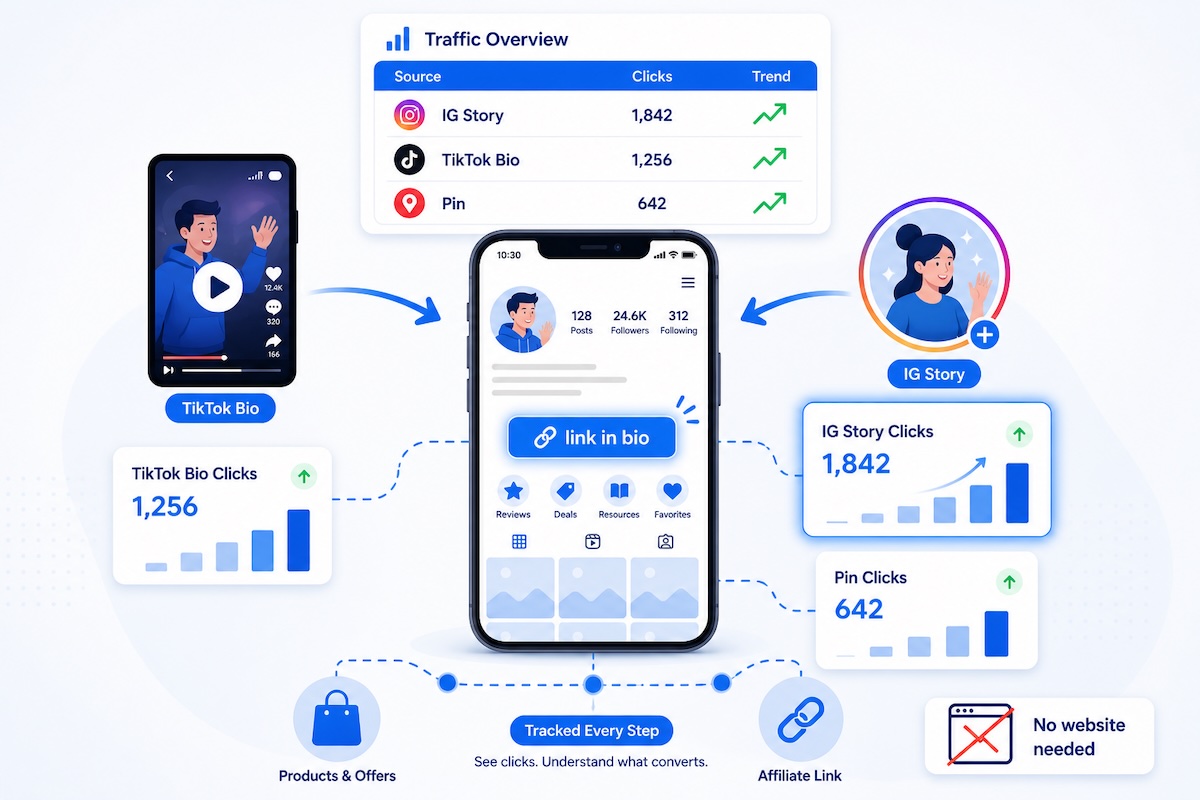
You Don't Need a Blog to Track Your Affiliate Links
There's a common misconception in affiliate marketing: that you need a website to track your links properly. That Google Analytics, UTM parameters, and conversion tracking all require a blog or landing page you own.
It's not true. If you're an Instagram or TikTok creator promoting affiliate products through your bio link, stories, or posts — you can track every click without ever building a website.
This guide is for creators who earn affiliate commissions primarily through social media. You don't have a blog. You might not even want one. But you still need to know: which posts, which stories, and which platforms are actually driving your affiliate clicks?
By the end of this guide, you'll have a working tracking system that tells you exactly where your affiliate clicks come from — even if the only "website" you have is your Instagram bio.
Why Social-Only Creators Have a Tracking Problem
Most affiliate tracking advice assumes you have a website. "Install Google Analytics." "Add UTM parameters to your blog links." "Check your Search Console data." None of that applies if your entire affiliate operation runs through Instagram stories and TikTok bios.
Here's the specific challenge:
- Instagram doesn't report link clicks by story or post. You can see total "link taps" in your Insights, but you can't see which specific story drove clicks to which affiliate product.
- TikTok's analytics are even more limited. You get profile views and video views, but almost nothing about your bio link clicks.
- Affiliate dashboards show totals, not sources. Amazon Associates tells you that someone bought a product through your link. It doesn't tell you whether they came from your Monday story, your TikTok bio, or your Thursday carousel.
- Link-in-bio tools show clicks, not conversions. Linktree and similar tools tell you how many people clicked a link — but not which post or story sent them there.
The result: you're creating content, sharing affiliate links, and earning commissions — but you have no idea which content is responsible for which revenue. You can't optimize because you can't measure.
The Solution: Tracked Links That Work Anywhere
The fix is straightforward: instead of sharing raw affiliate links, you share tracked links that record every click before redirecting to the affiliate product. Because the tracking happens at the link level — not at a website level — it works regardless of where you share the link.
Here's the flow:
- You create a tracked short link that points to your affiliate product URL
- You share that tracked link on Instagram, TikTok, or anywhere else
- When someone clicks, the tracker logs the click (time, device, location, referrer) and instantly redirects to the product page
- You check your tracker dashboard to see click data broken down by link
The key insight: you create a different tracked link for each placement. One link for your Instagram bio, a different link for your Monday story, another for your TikTok bio. Same affiliate product, different tracked links. Now you know exactly where each click came from.
Method 1: Link-in-Bio Tool + Tracked Links
If you use a link-in-bio tool (Linktree, Beacons, Stan Store, etc.), you're already halfway there. The missing piece is using tracked links inside your link-in-bio page instead of raw affiliate links.
How It Works
- Create a tracked link for each affiliate product, named to identify the source (e.g.,
yourdomain.com/go/bio-sony-earbuds) - Add that tracked link to your link-in-bio tool instead of the raw affiliate URL
- When someone taps your bio link and then taps a product, the click goes through your tracker first
What You Can Track
| Data Point | Link-in-Bio Tool Alone | With Tracked Links |
|---|---|---|
| Total clicks on a link | ✅ | ✅ |
| Which device clicked | ❌ | ✅ |
| Geographic location | ❌ | ✅ |
| Clicks over time (daily/weekly) | Limited | ✅ |
| Which post/story drove the click | ❌ | ✅ (with per-post links) |
The link-in-bio tool handles the landing page experience. The tracked links handle the analytics. Together, you get visibility that neither tool provides alone.
Method 2: Direct Tracked Links (No Link-in-Bio Needed)
You don't actually need a link-in-bio tool at all. If you have a link tracker that gives you short, branded links, you can use those directly:
- Instagram bio: Put your most important tracked affiliate link directly in your bio URL
- Instagram stories: Use the link sticker with a unique tracked link per story
- TikTok bio: One tracked link in your bio (rotate it based on what you're currently promoting)
- TikTok comments: Share tracked links in your own comments on viral videos
This approach is simpler and cuts out the middleman. Instead of Bio → Link-in-bio page → Tracked link → Affiliate product, it's just Bio/Story → Tracked link → Affiliate product. Fewer steps usually means more clicks.
Setting Up Tracking for Instagram: Step by Step
Let's walk through a practical setup for an Instagram creator promoting fitness products.
Step 1: Map Your Affiliate Products to Link Placements
Before creating any links, list where you share affiliate links on Instagram:
| Placement | Product | Link Name |
|---|---|---|
| Bio link | Protein powder (main promo) | ig-bio-protein |
| Story (Mon workout) | Resistance bands | ig-story-mon-bands |
| Story (Wed review) | Protein powder | ig-story-wed-protein |
| Story (Fri haul) | Yoga mat | ig-story-fri-mat |
| Carousel post | "My 5 gym essentials" | ig-post-gym-essentials |
Notice the naming convention: [platform]-[placement]-[product or topic]. This makes your data readable at a glance when you check your dashboard.
Step 2: Create a Tracked Link for Each Placement
For each row in your table, create a unique tracked link. Using a link tracker:
- Paste your raw affiliate URL (e.g., your Amazon Associates link for the protein powder)
- Set the slug to match your naming convention (
ig-bio-protein) - The tracker generates a short link you can share
Important: even if two placements promote the same product, create separate tracked links. The bio link for protein powder and the Wednesday story link for protein powder should be different tracked links pointing to the same affiliate URL. That's how you'll know which placement drove each click.
Step 3: Replace Your Links
- Bio: Paste your tracked link in your Instagram bio URL field (or in your link-in-bio tool)
- Stories: When you add a link sticker, paste the story-specific tracked link
- Posts: If you mention "link in bio," make sure the bio link matches the product you're promoting in that post
Step 4: Review Weekly
After 7 days, check your tracker dashboard. You'll see something like this:
| Link | Clicks | Top Device | Top Country |
|---|---|---|---|
ig-bio-protein |
187 | iPhone (74%) | US (61%) |
ig-story-wed-protein |
312 | iPhone (82%) | US (58%) |
ig-story-mon-bands |
89 | iPhone (79%) | UK (44%) |
ig-story-fri-mat |
43 | Android (55%) | US (52%) |
ig-post-gym-essentials |
28 | iPhone (71%) | US (65%) |
The data tells a clear story: the Wednesday protein powder story (312 clicks) outperforms the bio link for the same product (187 clicks). Stories with a direct product mention drive more clicks than generic "link in bio" posts (28 clicks). The yoga mat story on Friday barely gets attention (43 clicks) — maybe Friday isn't a good day for your audience, or maybe they're not interested in yoga mats.
Without tracking, you'd have one total number from your affiliate dashboard and no idea which of these placements was actually working.
Setting Up Tracking for TikTok
TikTok is more restrictive with links than Instagram, which makes tracking both harder and more important.
Where You Can Place Links on TikTok
- Bio link (1 URL). The only clickable link most creators get. You need either 1,000 followers or a business account.
- TikTok Shop. If you're in the TikTok Shop program, you can tag products directly in videos. TikTok handles tracking internally for Shop links.
- Comment links. You can paste links in comments on your own videos. They're not clickable (users have to copy-paste), but some creators use them.
- Direct messages. You can share links in DMs, but this doesn't scale.
The Bio Link Rotation Strategy
Since TikTok only allows one bio link, smart creators rotate it based on what they're currently promoting:
- Create a tracked link for each product you promote on TikTok:
tt-bio-product-a,tt-bio-product-b, etc. - When you post a video featuring Product A, update your bio link to
tt-bio-product-a - When you post about Product B, swap the bio link to
tt-bio-product-b - Your tracker records clicks on each link separately, so you know which product (and which video) drove clicks
This is manual, but it works. The alternative — keeping one static link for every video — means you'll never know which TikTok content drives affiliate clicks.
TikTok Tracking in Practice
Here's what a TikTok creator's tracking data might look like after a month of using per-video tracked links:
| TikTok Video | Views | Bio Clicks | Click Rate |
|---|---|---|---|
| "This $30 kitchen gadget changed my mornings" | 840,000 | 2,100 | 0.25% |
| "3 things I regret buying on Amazon" | 1,200,000 | 380 | 0.03% |
| "POV: you finally organize your pantry" (showing organizers) | 95,000 | 1,850 | 1.95% |
| "Amazon finds you didn't know you needed" | 520,000 | 3,400 | 0.65% |
Notice the pantry organizer video: only 95,000 views, but a 1.95% click rate — 8x higher than the kitchen gadget video and 65x higher than the "regret" video. That's because viewers watching a pantry organization video have high purchase intent. They want those organizers. The "regret" video is entertainment — high views, low buying intent.
This is the kind of insight that changes your content strategy. And you'd never see it without per-video tracking.
Real Example: How a Skincare Creator Tripled Her Affiliate Income
Meet Priya. She's a skincare and beauty creator with 28,000 Instagram followers and 15,000 TikTok followers. She's in three affiliate programs: Amazon Associates, Sephora's affiliate program, and a clean beauty brand's direct referral program.
Before Tracking
- Monthly affiliate income: ~$420
- Shared the same affiliate links everywhere (same Amazon link in bio, stories, and TikTok)
- No idea which platform or content type drove sales
- Posted 5 stories/week and 3 TikToks/week, spending roughly equal effort on both platforms
What She Set Up
Priya created unique tracked links for each placement:
- Instagram bio:
ig-bio-[product] - Instagram stories:
ig-story-[date]-[product] - TikTok bio:
tt-bio-[product]
She tracked for 30 days before changing anything about her content.
What the Data Showed
| Source | Total Clicks | % of All Clicks | Est. Revenue |
|---|---|---|---|
| Instagram stories (all) | 1,840 | 62% | $310 |
| TikTok bio | 680 | 23% | $72 |
| Instagram bio | 450 | 15% | $38 |
Breakdown within Instagram stories:
| Story Type | Clicks | Avg. per Story |
|---|---|---|
| "My routine" (showing products in use) | 920 | 115/story |
| Product review/demo | 640 | 80/story |
| "Get ready with me" | 180 | 36/story |
| Repost of TikTok content | 100 | 20/story |
What Priya Changed
- Doubled her "routine" stories from 2/week to 4/week. These had 3x the clicks per story compared to "get ready with me" content. She didn't stop making GRWM content (her audience loved it), but she made sure to pair it with a routine story in the same week.
- Reduced TikTok effort and increased Instagram focus. TikTok drove 23% of clicks but required about 40% of her content creation time. She dropped from 3 TikToks/week to 1 and reinvested that time into Instagram stories.
- Switched her bio link to a link-in-bio page. Instead of a single product, she listed her top 5 products on a link-in-bio page — each with a unique tracked link. This increased her bio click revenue from $38/month to $95/month because visitors could choose the product that interested them.
- Started tagging products by price tier. She noticed her highest-commission products (Sephora's $60+ skincare) converted better from stories, while Amazon's cheaper products converted better from bio clicks. She adjusted which products she promoted where.
The Result
After two months of data-driven adjustments:
- Monthly affiliate income: $1,280 (up from $420 — a 3x increase)
- Same total follower count. No viral moments. Just better allocation of effort based on click data.
Instagram vs. TikTok: Affiliate Tracking Compared
Both platforms work for affiliate marketing, but they behave very differently when it comes to link clicks.
| Factor | TikTok | |
|---|---|---|
| Link placements | Bio, stories (sticker), DMs | Bio only (1 link), comments (not clickable) |
| Avg. affiliate click rate | 1–3% of story viewers | 0.1–0.5% of video viewers |
| Purchase intent | Higher (followers trust recommendations) | Lower (discovery-driven, entertainment-first) |
| Best content for affiliate clicks | Stories with product demos, routines | "Amazon finds," hauls, problem-solving content |
| Audience relationship | Stronger (followers see most content) | Weaker (algorithm-driven, many non-followers) |
| Tracking difficulty | Medium (multiple link placements available) | Hard (only 1 bio link, must rotate) |
The key takeaway: Instagram generally converts better for affiliate marketing because of stories (direct link placement) and stronger audience relationships. TikTok excels at reach and discovery, but converting views into affiliate clicks is harder because of the single bio link limitation.
Many successful social-only affiliate creators use TikTok for audience growth and Instagram for monetization — funneling TikTok viewers to their Instagram where they can share links more freely.
5 Mistakes Social-Only Creators Make with Affiliate Links
1. Using the Same Link Everywhere
If your Instagram bio, Monday story, and TikTok bio all use the same raw affiliate link, your affiliate dashboard will show one blended number. You'll have no idea which placement drives clicks. Always create a unique tracked link for each placement.
2. Not Tracking Stories (Because They Disappear)
Stories vanish after 24 hours, so many creators don't bother tracking them. But stories are often the highest-converting affiliate placement on Instagram. Even though the story disappears, the click data stays in your tracker. After a few weeks, you'll have enough data to see which story formats drive the most clicks.
3. Ignoring the Bio Link
Your bio link runs 24/7. Even on days you don't post, people visit your profile and tap the bio link. Many creators set it once and forget it. Instead, update it to match your current promotion, and always use a tracked link so you can see how much passive traffic your bio generates.
4. Promoting Too Many Products at Once
When you track clicks, you'll likely discover that your audience responds to 2-3 core products far more than others. Spreading your promotions across 15 products dilutes your message and makes it harder to build trust around recommendations. Let the data show you which products your audience actually clicks on, and double down on those.
5. Never Reviewing the Data
Tracking without reviewing is just collecting numbers. Set a weekly 10-minute review: which links got the most clicks? Which placements underperformed? What should I promote more (or less) next week? The creators who grow their affiliate income consistently are the ones who look at the data every week and make small adjustments.
For more common pitfalls, see our guide on affiliate marketing mistakes to avoid.
What About Other Platforms?
Pinterest is underrated for affiliate marketing. Pins are evergreen (they can drive clicks for months or years), and Pinterest users have high purchase intent — they're often browsing for products to buy. Create a unique tracked link for each pin. Naming convention: pin-[board]-[product].
Twitter / X
Links in tweets are clickable, making tracking straightforward. Create a unique tracked link for each tweet or thread where you share an affiliate product. Naming: x-[topic]-[product]. Twitter works best for tech, software, and book affiliate programs.
Threads
Threads allows links in posts. Similar to Twitter — create per-post tracked links. The platform is newer so click volumes may be lower, but tracking from day one means you'll have data to evaluate whether Threads is worth your time for affiliate marketing.
Facebook Groups
If you run or participate in Facebook groups, tracked links help you see whether your group recommendations actually drive clicks. Use naming like fb-group-[groupname]-[product]. Be mindful of group rules around affiliate links.
Building Your Social-Only Tracking System
Here's the complete system, step by step:
1. Choose Your Naming Convention
Format: [platform]-[placement]-[product or topic]
Examples:
ig-bio-protein-powderig-story-0503-yoga-mattt-bio-kitchen-gadgetpin-skincare-board-serum
Pick a convention and stick with it. Consistency is what makes your data useful three months from now.
2. Create Tracked Links for Your Active Products
Start with the products you promote most frequently. You can add more over time. For each product, create one tracked link per placement where you'll share it.
3. Replace Your Current Links
Swap out every raw affiliate link in your bios, link-in-bio pages, and saved story highlights with tracked versions. This takes 15-20 minutes and only needs to be done once per product.
4. Use Story-Specific Links Going Forward
Every time you create an Instagram story with an affiliate link, use a unique tracked link for that story. Yes, this adds 30 seconds to your workflow. The data is worth it.
5. Weekly Review (10 Minutes)
Every week, open your tracker dashboard and answer three questions:
- Which links got the most clicks this week?
- Which platform is driving the most clicks?
- Is there a content format that consistently outperforms others?
Write down one thing you'll do differently next week based on the data. That's it. Small, consistent adjustments compound into significant revenue growth over time.
6. Monthly Revenue Mapping
Once a month, compare your tracker data (clicks by link) with your affiliate dashboard data (sales and commissions). This lets you calculate revenue per click by platform and product — the metric that should drive your content strategy.
For a detailed walkthrough of this process, see our guide on how to know which affiliate links make money.
The Bottom Line
You don't need a website to track your affiliate links. You don't need Google Analytics, custom code, or technical skills. You need one thing: a unique tracked link for each placement where you share affiliate products.
The math is simple. When you know which content drives affiliate clicks, you make more of that content. When you know which platform converts best, you spend more time there. When you know which products your audience actually clicks on, you stop wasting stories on products nobody wants.
Priya didn't go viral. She didn't gain 50,000 new followers. She tripled her affiliate income by spending 10 minutes a week looking at click data and making small adjustments to what she posted and where she posted it.
Start with your top 5 affiliate products. Create tracked links for each placement. Review the data in a week. That's all it takes to go from guessing to knowing.
For a broader overview of tracking across all platforms, see our cross-platform tracking guide. For YouTube-specific tracking, check out our guide on affiliate link tracking for YouTube creators.
Track Your Affiliate Links — No Website Required
Linkgaze lets you create tracked affiliate links in seconds. See exactly which platform, post, or story drives each click — all from one dashboard, no website needed.
- Works on Instagram, TikTok, and any platform
- Per-link click data with device and location
- Free tier with up to 10 tracked links