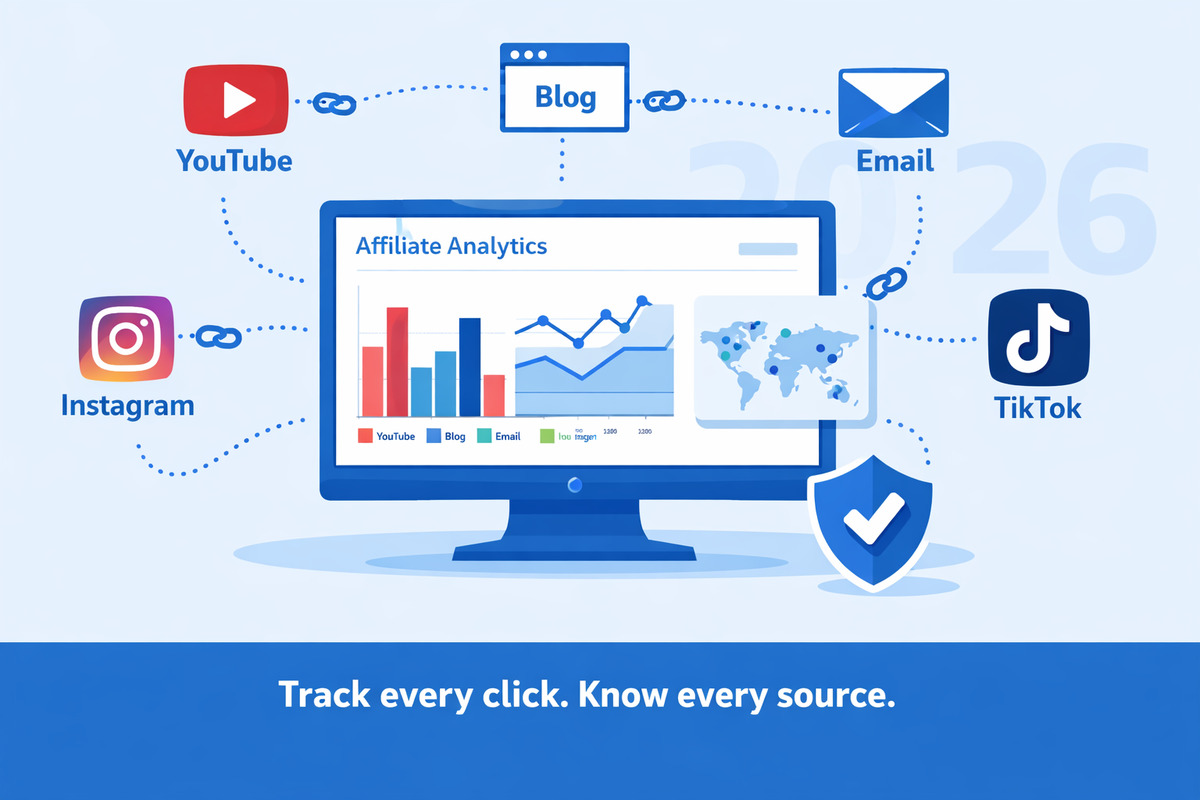
Affiliate Link Tracking Has Changed — Here's What Works Now
Affiliate marketing in 2026 looks different than it did even two years ago. Third-party cookies are effectively dead. iOS and Android privacy features limit cross-site tracking. Social platforms constantly change how links behave. And the number of platforms creators use to promote products keeps growing.
But here's the good news: tracking your affiliate links is actually easier now than it's ever been — if you use the right approach.
The old method of relying on cookies and affiliate network dashboards alone no longer gives you the full picture. The new method — first-party click tracking with automatic source tagging — works reliably regardless of what browsers or platforms do.
This guide covers everything you need to know about tracking affiliate links in 2026: the methods that work, the tools available, platform-specific strategies, how to handle privacy changes, and advanced techniques to maximize your revenue.
Why Affiliate Link Tracking Matters More Than Ever
Let's start with the reality most affiliate marketers face today:
- You promote products on 4-6 platforms (YouTube, blog, Instagram, TikTok, email, Pinterest, podcasts)
- Your affiliate dashboard shows total sales but not which platform sent the buyer
- You spend equal time on all platforms because you don't know which one actually converts
- Privacy changes mean cookies are less reliable, so some sales aren't even attributed correctly
The cost of not tracking isn't just ignorance — it's wasted time and money. Every hour you spend creating content for a platform that doesn't convert is an hour you could've spent on the platform that does.
The 4 Methods of Affiliate Link Tracking
There are four ways to track affiliate links in 2026, each with different trade-offs. Most successful affiliates use a combination.
Method 1: Affiliate Network Dashboards
What it is: The built-in reporting from Amazon Associates, ShareASale, CJ Affiliate, Impact, and other networks.
What you see: Total clicks, conversions, revenue, and commission per product.
What you don't see: Which platform, page, or piece of content sent the buyer.
| Pros | Cons |
|---|---|
| Free, always available | No source/platform breakdown |
| Shows actual revenue (authoritative) | Cookie-based — misses some conversions |
| No setup required | Each network is a separate dashboard |
Best for: Revenue verification. Use this as your source of truth for what sold, but pair it with another method to understand how it sold.
Method 2: UTM Parameters
What it is: Tags added to the end of your URLs that tell analytics tools where traffic came from.
How it works: You append parameters like ?utm_source=youtube&utm_medium=video&utm_campaign=headphones-review to your affiliate links. Google Analytics (or any analytics tool) reads these tags and attributes the visit to the correct source.
| Pros | Cons |
|---|---|
| Free and universal | Manual — you create each tagged link by hand |
| Works with any analytics tool | Error-prone (typos break your data) |
| Granular control over source/medium/campaign | One product × 4 platforms = 4 separate links to manage |
Best for: Creators who promote a small number of products and are disciplined about link management. For a detailed breakdown, see our complete UTM parameters guide.
Method 3: Link Shorteners with Analytics
What it is: Tools like Bitly or Rebrandly that shorten your URLs and provide click analytics.
What you see: Total clicks, click timing, and sometimes basic geographic data.
| Pros | Cons |
|---|---|
| Clean, short links | Limited analytics (usually just click counts) |
| Easy to set up | No automatic source tagging |
| Custom branded domains available | Still need separate links per platform for source data |
Best for: General link shortening where you need clean URLs but don't need deep analytics. For affiliate tracking specifically, general shorteners leave gaps. See our comparisons of Bitly vs. Linkgaze and Rebrandly vs. Linkgaze for details.
Method 4: Dedicated Affiliate Link Trackers
What it is: Purpose-built tools designed specifically for affiliate marketers. You create one short link per product, share it everywhere, and the tool automatically tracks the source, device, and location of every click.
| Pros | Cons |
|---|---|
| Automatic source/platform detection | Monthly cost for full features |
| One link per product (no multi-link management) | Revenue data still comes from affiliate networks |
| Device, location, and time-of-day data | Learning curve (minimal, but exists) |
| First-party tracking (works despite cookie changes) |
Best for: Affiliate marketers and content creators who promote across multiple platforms and need to know exactly where their clicks come from. This is the method that scales. For a full comparison of tools in this category, see our best affiliate link trackers roundup.
Which Method Should You Use?
| Your situation | Best method |
|---|---|
| Just starting out, <5 products | Affiliate dashboards + manual UTMs |
| Growing, 5-20 products, 2-3 platforms | Dedicated affiliate link tracker (free tier) |
| Established, 20+ products, 4+ platforms | Dedicated tracker (paid) + affiliate dashboards for revenue verification |
| Team or agency managing multiple brands | Dedicated tracker + analytics pipeline + revenue mapping |
Step-by-Step: Setting Up Affiliate Link Tracking
Here's the practical setup, from zero to fully tracked, in 30 minutes.
Step 1: List Your Active Products and Platforms
Open a spreadsheet (Google Sheets, Notion, whatever you use). Create a row for each affiliate product you're actively promoting. For each one, note:
- Product name and affiliate program
- Commission type (percentage, flat fee, recurring)
- Where you share it (YouTube, blog, email, Instagram, etc.)
- Current monthly revenue (from your affiliate dashboard)
This takes 10 minutes and gives you a clear picture of what you're working with. Most creators discover they have more active links than they realized — and that a handful of products generate most of their revenue.
Step 2: Create Tracked Links
For each product, create a single tracked short link. If you're using a tool with automatic source detection, you only need one link per product — share it everywhere and the tool identifies the source.
If you're doing manual UTM tracking, create one link per product × platform combination. Label each clearly so you don't mix them up.
Step 3: Replace Your Existing Links
Swap your old, untracked affiliate links with the new tracked versions. Go through each platform:
- YouTube: Update links in video descriptions (start with your most-viewed videos)
- Blog: Find and replace affiliate links in your top posts
- Email: Update links in your welcome sequence and most recent newsletters
- Instagram: Update your bio link and any links in Stories highlights
- Pinterest: Update pins that still drive traffic
Don't worry about updating every old piece of content. Focus on the content that still gets traffic. Old YouTube videos from two years ago with 50 views? Leave them. Your top 10 posts that get 80% of traffic? Update those.
Step 4: Wait 7 Days, Then Analyze
Give your tracked links a full week to collect data. Then open your tracking dashboard and look for:
- Which platform sends the most clicks for each product
- Which platform has the highest click-through quality (you'll pair this with affiliate revenue later)
- Device split — are your visitors on mobile or desktop? This affects conversion rates
- Time patterns — when do most clicks happen? This can inform your posting schedule
Step 5: Map Clicks to Revenue
This is the step that turns data into money. Compare your tracked click data with your affiliate dashboard revenue for the same period:
| Product | Platform | Clicks | Sales | Revenue | Revenue/Click |
|---|---|---|---|---|---|
| Wireless Headphones | YouTube | 450 | 6 | $72 | $0.16 |
| Wireless Headphones | Blog | 180 | 8 | $96 | $0.53 |
| Wireless Headphones | 65 | 3 | $36 | $0.55 | |
| Wireless Headphones | 310 | 1 | $12 | $0.04 |
In this example, Instagram drives the second-highest click volume — but the lowest revenue per click by far. Blog and email have fewer clicks but dramatically higher conversion rates. This is the kind of insight that completely changes how you allocate your time.
For a deeper dive on interpreting this data, see our guide on how to know which affiliate links actually make you money.
Platform-Specific Tracking Strategies
Each platform has quirks that affect how affiliate links perform and how tracking works. Here's what to know for the platforms that matter most in 2026.
YouTube
YouTube remains the highest-traffic platform for most affiliate creators, but it has unique tracking challenges:
- Links in descriptions have low visibility. Most viewers watch without scrolling to the description. Pin a comment with your link, and mention it verbally at least twice in the video.
- Mobile viewers rarely click description links. The description is collapsed on mobile. Use verbal calls-to-action and consider adding a link in a pinned comment.
- YouTube Shorts don't support description links well. If you're promoting on Shorts, direct viewers to your bio or a link-in-bio page.
- Tracking tip: If you use manual UTMs, tag YouTube links with
utm_source=youtubeandutm_medium=video. Addutm_campaign=with the video topic for granular tracking per video.
Blog / Website
Blogs consistently have the highest conversion rates for affiliate links because visitors arrive with buying intent — they're actively researching products.
- In-content links convert best. Links embedded naturally within your review or comparison text outperform sidebar widgets, banner ads, and footer links.
- Comparison posts are gold. "Product A vs Product B" and "Best X for Y" posts attract high-intent search traffic that converts well.
- Track per-page performance. Different blog posts send different quality traffic. A link in your "best laptops" post might convert 5x better than the same link in a general "tech news" post.
- Tracking tip: Use
utm_source=blogandutm_campaign=with the post slug to see which articles drive the most revenue.
Email Newsletters
Email typically has the highest revenue per click of any platform because subscribers already trust you.
- Segment your lists. A recommendation to your "interested in photography" segment will convert better than a blast to your entire list.
- Use dedicated recommendation emails. A focused email about one product (with your honest review) outperforms a link buried in a weekly roundup.
- Track per-email performance. Tag your links with
utm_campaign=matching the email subject or send date so you can see which emails drive the most clicks. - Tracking tip: Use
utm_source=emailandutm_medium=newsletter. If you send multiple email types (welcome sequence, weekly digest, product reviews), useutm_mediumto distinguish them.
Instagram drives high click volume but typically the lowest conversion rates for affiliate products. Understanding why helps you use it correctly.
- Users are browsing, not buying. Instagram is a discovery platform. People see your recommendation and might click, but they're in scroll mode, not purchase mode.
- Stories links expire fast. A Story link is visible for 24 hours. Unlike a blog post or YouTube video that gets traffic for months, Stories are one-and-done.
- Bio links are limited. You get one clickable link in your bio (or a link-in-bio page). Make it count.
- Tracking tip: Track Instagram separately and judge it on awareness metrics, not just conversions. It's often the platform that introduces people to a product — they then convert later via your blog or email.
TikTok
TikTok has grown significantly as an affiliate platform, but link placement is challenging:
- No clickable links in video descriptions for most creators. You need 1,000+ followers to add a bio link.
- TikTok Shop is changing the game. If you're in the TikTok Shop affiliate program, tracking happens natively within TikTok. For external affiliate programs, you still need to drive traffic through your bio link.
- Tracking tip: Use
utm_source=tiktokon your bio link. Since all TikTok traffic funnels through one link, your main metric is overall click volume from TikTok vs. other platforms.
Podcasts
Podcasts are a growing but tricky platform for affiliate tracking because there's no clickable link during the listening experience.
- Use memorable vanity URLs. Instead of a long affiliate link, say "go to linkgaze.io/podcast" — a redirect URL that's easy to remember and say out loud.
- Repeat the URL at least twice. Listeners often can't act immediately. Say the link near the beginning and again at the end.
- Include links in show notes. Many podcast listeners check show notes after the episode.
- Tracking tip: Create a unique tracked link specifically for podcast mentions (with
utm_source=podcast) so you can measure podcast-driven traffic separately.
How Privacy Changes Affect Affiliate Tracking in 2026
The tracking landscape has shifted significantly. Here's what's changed and what it means for you.
Third-Party Cookies Are Gone
All major browsers now block or severely limit third-party cookies. Chrome completed its phase-out, joining Safari and Firefox which blocked them years earlier.
What this means for you: Affiliate networks that relied on third-party cookies for attribution may undercount your conversions. You might be generating sales that aren't being attributed to your link.
What to do: Choose affiliate programs that use first-party tracking, server-side tracking, or coupon code attribution. Most major networks (Amazon, Impact, ShareASale) have adapted, but smaller programs may still have gaps.
Mobile Privacy Features
iOS App Tracking Transparency (ATT) and Android's Privacy Sandbox limit cross-app tracking. If someone clicks your link in the Instagram app and buys on the Amazon app, that conversion might not be tracked.
What to do: Use a link tracker that works at the click level (first-party redirect tracking) rather than relying on cross-app cookie matching. When someone clicks your tracked link, the click is recorded immediately — regardless of what happens after in a different app.
Ad Blockers and Tracking Prevention
Ad blocker usage continues to grow. Some block not just ads but also UTM parameters and analytics scripts.
What to do: First-party link tracking (where the redirect happens through your tracking tool's server) is largely unaffected by ad blockers because the tracking happens server-side during the redirect, not client-side via JavaScript.
Advanced Tracking Techniques
Once you have basic tracking in place, these techniques help you extract more value from your data.
A/B Test Your Affiliate Links
Not all product pages convert equally. If you're promoting a product that's available on Amazon and the brand's own website, test both:
- Send 50% of clicks to Amazon (lower commission, but people trust Amazon checkout)
- Send 50% of clicks to the brand's site (higher commission, but fewer people complete checkout)
After a few hundred clicks, you'll know which destination generates more total revenue — even if the commission rates are different.
Track by Content Type, Not Just Platform
Instead of just knowing "blog sends good traffic," go deeper. Track which type of content converts best:
- Product reviews — in-depth, single product
- Comparison posts — "A vs B" or "Best X for Y"
- Tutorial content — "How to do X" with product recommendations
- Roundup posts — "10 Best Tools for Y"
Use UTM campaigns to distinguish content types: utm_campaign=review-headphones vs. utm_campaign=comparison-headphones-vs-earbuds. Over time, you'll see which content format drives the most revenue and can prioritize accordingly.
Monitor Link Health
Affiliate links break more often than you'd expect:
- Products get discontinued
- Affiliate programs change their link format
- Landing pages get redesigned (and your link now points to a 404)
- Commission rates change without notice
Set a monthly reminder to click through your top 10 affiliate links and verify they still land on the correct page. A broken link that goes unnoticed for 3 months can cost you hundreds in lost commissions.
Use Click Timing Data
Most tracking tools show you when clicks happen. Use this to optimize your publishing schedule:
- If most of your affiliate clicks happen on Tuesday through Thursday between 9am and 2pm, publish new content and send emails during those windows.
- If you see a spike in clicks every time you post a YouTube video, but clicks die within 48 hours, consider adding evergreen affiliate mentions to your video end screens and descriptions.
- If email clicks spike within 1 hour of sending and drop to near-zero after, your newsletter subscribers are engaged but your emails need more permanence — consider adding a "best deals" archive page on your blog.
The Complete Tracking Stack for 2026
Here's the recommended setup for affiliate marketers at different stages:
Beginner (0-$500/month in affiliate revenue)
- Tracking tool: Free tier of a dedicated affiliate link tracker
- Method: Create tracked links for your top 5 products, share them across platforms
- Analytics: Check your tracking dashboard + affiliate network dashboard weekly
- Time investment: 15 minutes/week
- Cost: $0
Intermediate ($500-$2,000/month)
- Tracking tool: Paid affiliate link tracker with full UTM tracking, device/location data, and CSV export
- Method: Tracked links for all active products, per-platform analysis
- Analytics: Weekly click review, monthly revenue-per-click mapping, content performance analysis
- Time investment: 30 minutes/week
- Cost: ~$12/month
Advanced ($2,000+/month)
- Tracking tool: Pro-tier tracker with A/B testing, city-level geo data, and 1-year data retention
- Method: Tracked links for all products, A/B testing destinations, content-type tagging
- Analytics: Monthly strategy review: RPC trends, platform shifts, seasonal patterns, content ROI
- Time investment: 1 hour/week
- Cost: ~$29/month
Common Tracking Mistakes to Avoid
After working with hundreds of affiliate marketers, these are the mistakes we see most often:
1. Tracking Everything Except What Matters
Some creators obsess over vanity metrics — total clicks, impressions, follower counts — while ignoring the one metric that actually matters: revenue per click by platform. A link with 5,000 clicks and $50 in revenue is underperforming compared to a link with 200 clicks and $100 in revenue. Always anchor your analysis to revenue.
2. Using the Same Raw Link Everywhere
If you copy your Amazon affiliate link and paste the exact same URL on YouTube, your blog, and Instagram — you've just made it impossible to know which platform drives sales. Every link you share should be tracked, either through UTM parameters or an automatic link tracker.
3. Setting Up Tracking and Never Looking at the Data
Tracking is only valuable if you act on the insights. Set a recurring weekly calendar reminder: "Check affiliate link data." It takes 10 minutes and the insights compound over time. The first week might not reveal much. By week four, clear patterns emerge.
4. Not Testing Affiliate Link Placement
Where a link appears on a page dramatically affects click-through rates. A link in the first paragraph of a blog post can get 3-5x more clicks than the same link in the conclusion. On YouTube, a pinned comment with your link often outperforms the description. Test different placements and track the results.
5. Ignoring Mobile vs. Desktop Performance
In 2026, over 60% of affiliate clicks come from mobile devices. But desktop clicks typically convert at 2-3x the rate of mobile clicks. If your tracking shows high mobile traffic but low conversions, the issue might not be your content — it might be the merchant's mobile checkout experience. Consider promoting products with mobile-friendly purchase flows.
For more pitfalls to watch out for, see our guide on common affiliate marketing mistakes.
What's Coming Next in Affiliate Tracking
The affiliate tracking landscape continues to evolve. Here's what to watch for in the rest of 2026 and beyond:
- Server-side tracking becoming standard. More affiliate networks are moving to server-side conversion tracking, which is more reliable than client-side cookies. This is good news — it means more of your sales will be correctly attributed.
- AI-powered analytics. Expect tracking tools to start offering automated insights: "Your blog traffic converts 4x better on weekdays" or "Product X clicks are declining — consider replacing it." The data is already there; AI just surfaces patterns faster.
- Cross-platform attribution getting better. As first-party tracking improves, the ability to see the full customer journey (saw it on TikTok → researched on blog → bought via email link) is getting more accessible to individual creators.
- Coupon code tracking growing. For platforms where links are hard (podcasts, TikTok, print), unique coupon codes tied to your affiliate account are becoming a more common attribution method.
The Bottom Line
Tracking affiliate links in 2026 comes down to one principle: every click should be attributable to a source. When you know where each click comes from, you can calculate revenue per platform, optimize your content strategy, and stop wasting time on channels that don't convert.
The privacy landscape has made old cookie-based methods less reliable, but first-party click tracking is more accessible and more accurate than ever. Whether you use manual UTMs or a dedicated tracking tool, the important thing is to start.
Here's your action plan:
- List your active affiliate products and where you promote them
- Set up tracked links for your top 5 products
- Replace your existing links on your highest-traffic content
- Review the data after 7 days
- Calculate revenue per click by platform and adjust your strategy accordingly
The creators who earn the most from affiliate marketing in 2026 aren't the ones with the biggest audiences. They're the ones who know exactly which content, on which platform, generates their revenue — and they optimize around that knowledge every single week.
For a focused guide on cross-platform tracking, see our post on tracking affiliate links across platforms. To evaluate the tools available, check our best affiliate link trackers comparison.
Start Tracking Your Affiliate Links Today
Linkgaze handles the tracking so you can focus on creating content. Automatic UTM tagging, per-platform analytics, and device data — set up in under 2 minutes.
- Free tier with basic tracking — no credit card
- Automatic source detection across all platforms
- Full analytics starting at $12/month